Electric Height Adjustable Standing Desk (40×24 Inch Sit-Stand Desk)
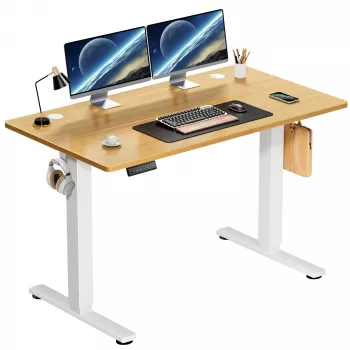
A 40×24 inch electric sit-stand desk is a practical upgrade for home offices, dorm rooms, and compact workspaces—offering quick height changes for alternating between sitting and standing while keeping a clean, minimal footprint. This size is designed to feel “right-sized”: enough room for daily essentials without turning a bedroom or shared room into a full-time office.
What a 40×24 inch electric sit-stand desk is best for
- Compact setups with real working space: A laptop or monitor, keyboard, mouse, and a few everyday accessories fit without feeling cramped.
- Shared spaces: A 40×24 desk is easier to place in a small room, studio, or multi-use area without dominating the layout.
- Simple height changes: Electric lift is ideal for button-based adjustments instead of manual cranks.
- Workdays with posture variety: The ability to change positions encourages movement and reduces long, uninterrupted sitting.
Quick specs at a glance
- Desktop size: 40×24 inches (a strong balance of usable space and compact footprint)
- Electric height adjustment: intended for fast transitions between sitting and standing
- Everyday use focus: suitable for home office, study, and light-to-moderate desk setups
40×24 Sit-Stand Desk Summary
| Feature |
What it means for daily use |
| 40×24 inch desktop |
Fits small rooms while still accommodating core work essentials |
| Electric lift |
Quick changes encourage more frequent posture shifts |
| Sit-to-stand workflow |
Supports alternating positions to reduce prolonged static posture |
| Compact footprint |
Easier to place in bedrooms, apartments, and multi-use spaces |
Workspace fit: what comfortably fits on a 40×24 surface
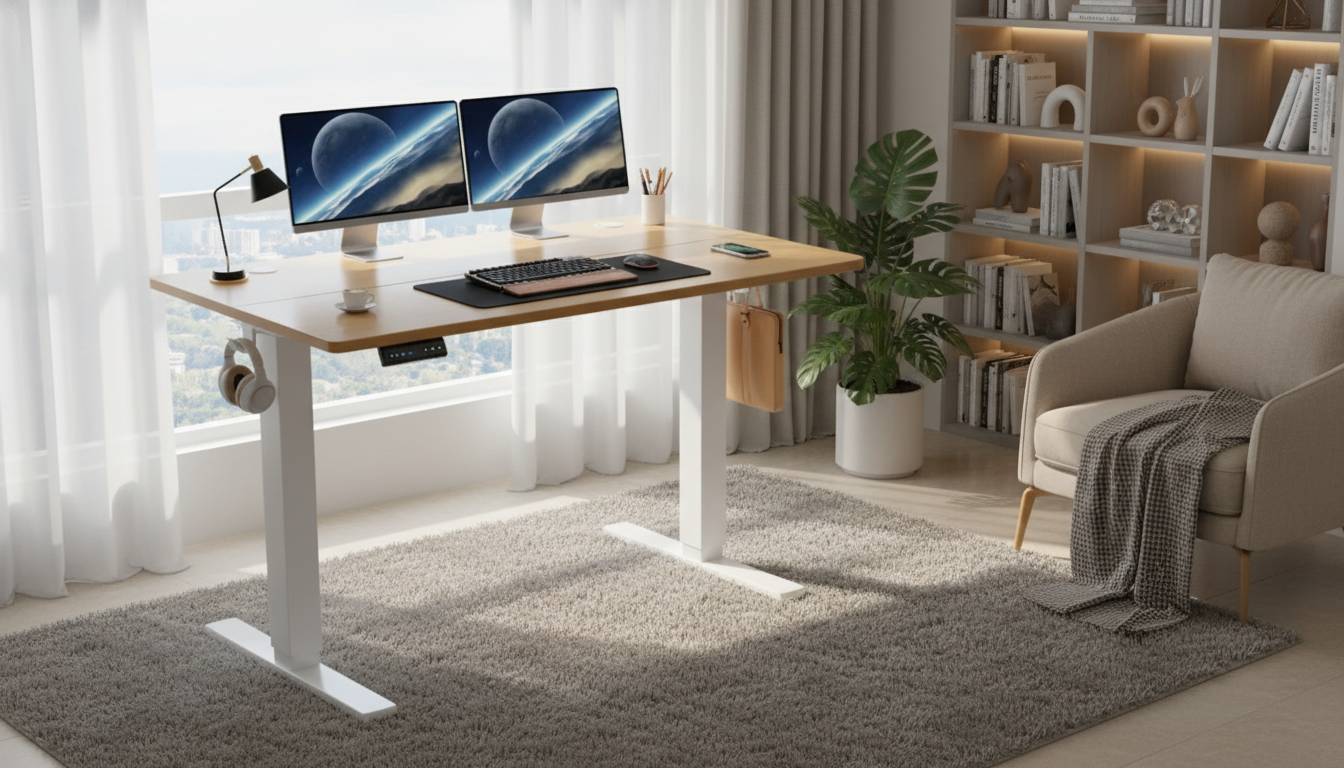
Desk size matters most when day-to-day items start competing for depth. With 24 inches front-to-back, the best setups keep the center lane open for typing and mousing while pushing bulkier items to the rear edge.
- Common layouts: laptop-only, laptop + a 24″ monitor, or a single monitor with compact speakers.
- Keyboard/mouse space: plan for a standard keyboard plus a mid-size mouse pad; leave a little breathing room so wrists aren’t forced to angle inward.
- Accessory planning: a desk lamp, notebook, coaster, and a small organizer can fit without crowding if you avoid oversized monitor bases.
- If using dual monitors: consider monitor arms to reclaim depth and keep the center area open, especially when you need the screen(s) slightly farther back.
A simple way to test fit before buying: outline 40×24 on the floor with painter’s tape, then place your current gear inside the rectangle. If the monitor base forces your keyboard too close to the edge, a monitor arm is often the quickest fix.
Ergonomic setup basics for sit-stand use
A sit-stand desk works best when it’s paired with a few non-negotiable posture cues. Exact numbers vary by height, footwear, and chair, but the “feel” should be consistent across sitting and standing.
- Standing height: elbows near 90 degrees, shoulders relaxed, wrists neutral while typing.
- Screen height: the top of the display roughly at or slightly below eye level to limit neck flexion.
- Foot comfort: an anti-fatigue mat can help during longer standing periods and reduces the urge to slouch.
- Gradual routine: start with short standing intervals and increase as comfort improves.
For additional workstation guidance, see the OSHA Computer Workstations eTool and Mayo Clinic’s overview of office ergonomics.
Stability, movement, and noise: what to pay attention to
- Stability at height: taller positions can amplify wobble if the floor is uneven or the load is off-center. Center heavier items (PCs, speakers) and avoid leaning hard on the front edge.
- Cable management: use adhesive clips or an under-desk tray so cords don’t snag while the desk rises and lowers.
- Motor and lift behavior: smooth starts and stops feel more controlled and can reduce monitor shake, especially with larger screens.
- Flooring tips: on carpet, a chair mat reduces rolling resistance and protects the pile—useful when switching between seated and standing work.
If the desk will sit near a bed or shared wall, pay attention to how and when you adjust height. Many people find it easiest to change position at natural breakpoints: after a call, between tasks, or when refilling water.
Assembly and placement checklist
Who this desk size tends to suit
Care, maintenance, and long-term use
Product option
More in-stock picks
FAQ
Is a 40×24 inch standing desk big enough for a monitor and laptop?
Usually, yes—laptop + one monitor is a comfortable, common layout on 40×24. If depth feels tight, a monitor arm can free up space, and it helps to check the footprint of your monitor stand since some bases take up more room than expected.
How often should sitting and standing be alternated?
A practical starting point is short standing intervals (such as 10–20 minutes) and then returning to sitting, gradually increasing as it feels comfortable. The goal is regular posture changes and breaks rather than standing all day.
What should the desk height be for good posture?
Aim for elbows around 90 degrees with relaxed shoulders and neutral wrists while typing; set the screen so the top is near eye level. The exact height varies by your body, chair height, and footwear, so fine-tuning is normal.
Recommended for you









Leave a comment